Microsoft AppSource — verified
Swiss case law. Inside your Word document.
Search 1,050,000+ decisions from 118 courts, insert correctly formatted citations and audit every reference in your draft — without leaving Word.
01 · Free
Available to everyone, no account
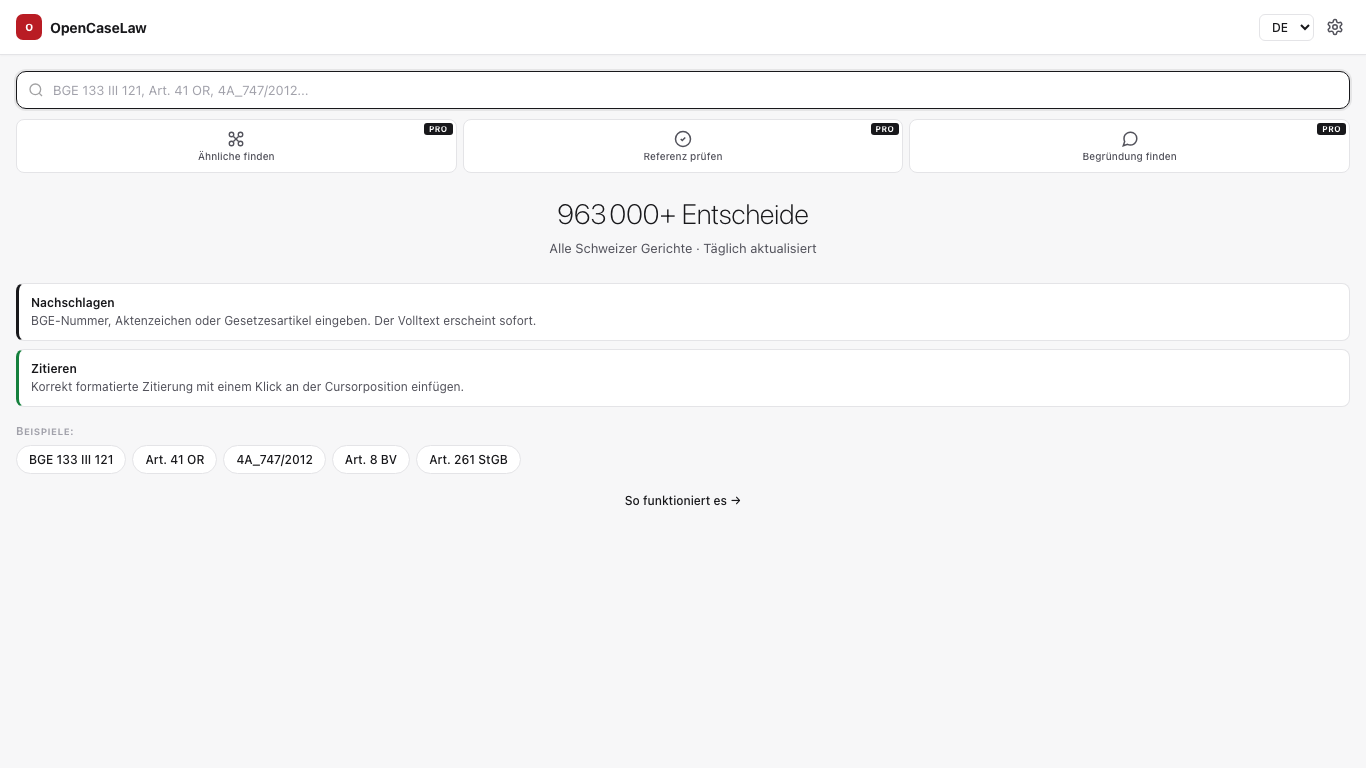
Search
Search
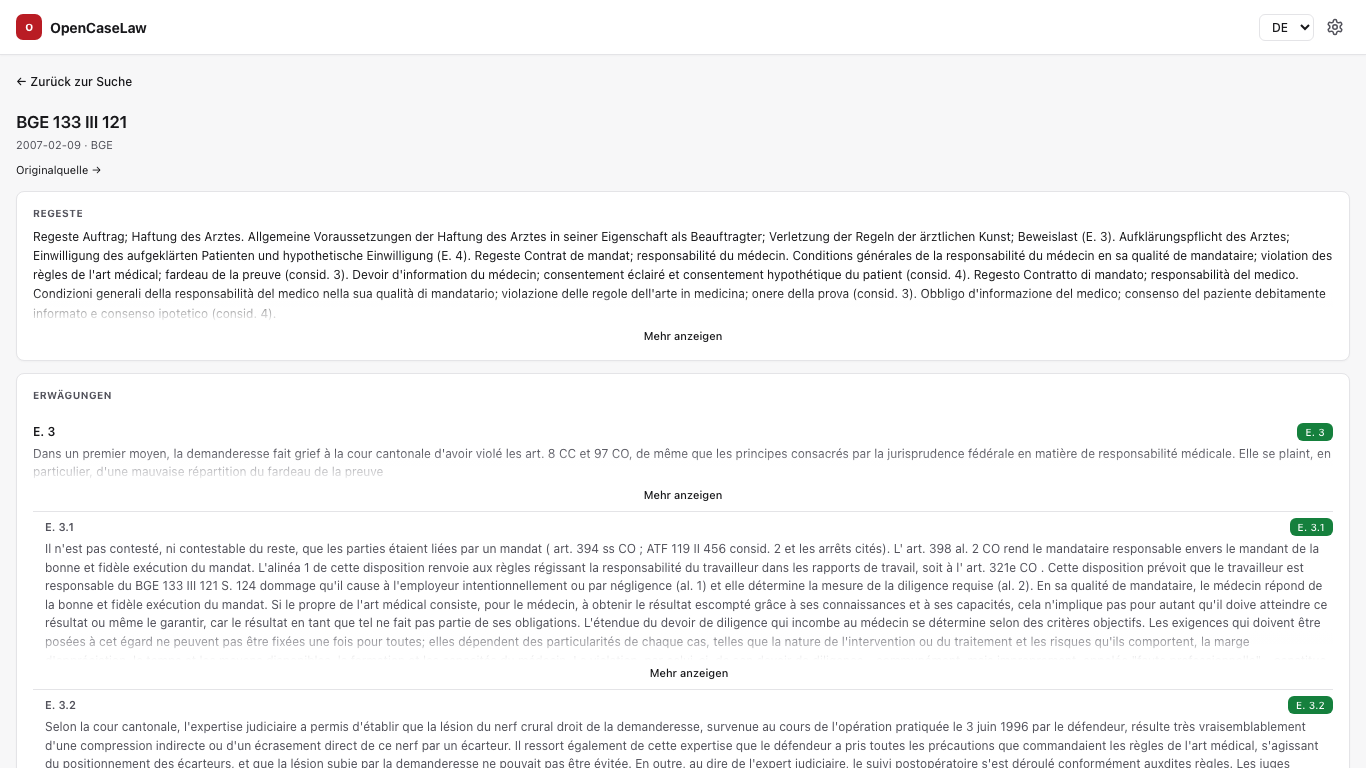
Full-text search across 1,050,000+ decisions, straight from your writing flow. Boolean, headnote, docket number, BGE reference, article lookup. The hit follows the original language of the decision (DE/FR/IT).
Cite
Cite
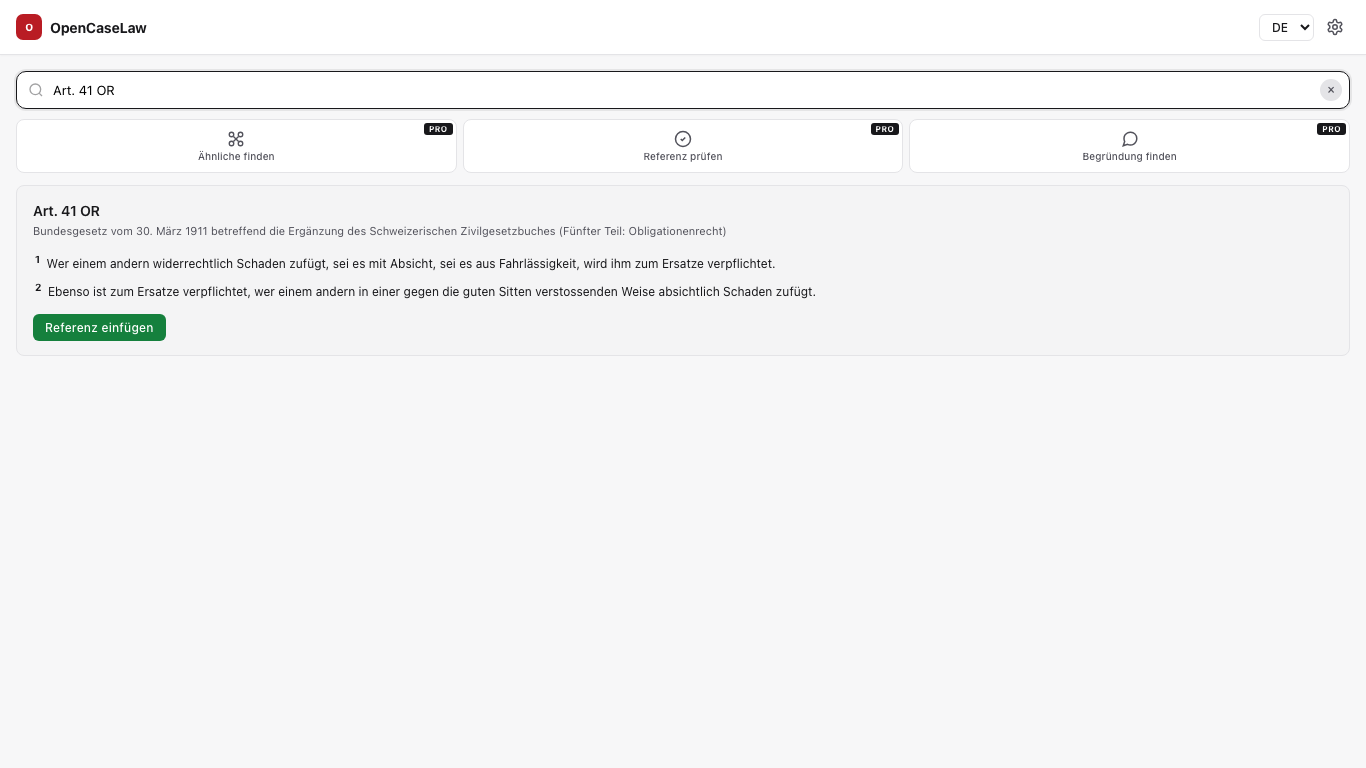
Correctly formatted citations in DE/FR/IT/EN — Federal Supreme Court, BVGer, BStGer, every cantonal court. Pinpoint to a specific consideration. One click inserts the standard text at the cursor.
Audit
Audit
A 5-rail closing audit over the whole document: every citation checked for existence, pinpoint, court and statute resolvability. Invented BGE numbers and inaccurate pinpoints land as Word comments in the document. Purely deterministic over the database — free.
02 · Pro — AI
Four AI-assisted tools
Shared daily limit of 25 calls/day, always-on, pattern-based PII redaction before every Pro call (email · AHV · IBAN · CHE · phone · DOB · address · titled name; scope and limits in the privacy policy), multilingual DE/FR/IT/EN. CHF 5/month via Stripe.
Verify
Verify
A decision reference in the paragraph is verified against the full text of the cited decision. Claude Sonnet 4.6 checks: does the source support what the paragraph claims? Answer: supports / partially / not — with reasoning.
Strengthen
Strengthen
The whole paragraph is x-rayed structurally: all citations verified, up to 5 not-yet-cited leading cases (ranked by citation-graph centrality), matching commentary excerpts. No LLM call — structural and fast (~300 ms).
Ground
Ground
Mark a statement without a source — Sonnet parses it into claim + norm hints, generates search queries and scores each hit 0–100 on how well the decision supports the statement. BGE / leading cases are prioritised.
Mirror
Mirror
Reflect on the whole document through literature: Sonnet identifies the central legal problem, draws one parallel from the world canon (Shakespeare, Dürrenmatt, Frisch, Kafka, Sophocles …) and delivers 200–400 words of Markdown plus a reflection question. Explicitly not legal advice.
03 · How it works
From install to inserted citation
Install
Microsoft AppSource → “Get it now”. Free, no account, no credit card. Works in Word for Windows, macOS and Web.
Open
Word → “Insert” tab → “Add-ins” → OpenCaseLaw. The task pane appears to the right of the document.
Search
Keyword, BGE reference or docket number into the search field. A live hit list with court name, date, headnote excerpt and citation count.
Insert
Click a card or arrow keys + Enter — the citation lands exactly at the cursor in the chosen language. Confirmation via toast.
04 · Screenshots
In the task pane
05 · In use
Already in daily practice
The first cantonal authority to access opencaselaw.ch daily — through the add-in’s MCP interface. Real practitioner queries, from day one. — Etat du Valais (sci-ava-opencaselaw-mcp/1.0)
322,825 sessions in April 2026 from claude.ai users — the same database the add-in uses proves itself daily against millions of queries. — Anonymised telemetry, May 2026
06 · Pricing
Free core, optional Pro
Free
- Search 1,050,000+ decisions
- Cite in DE/FR/IT/EN
- Federal + cantonal laws
- Doctrine + preparatory materials
- No account, no card
Pro
- Everything in Free
- Verify — citation against full text (AI)
- Strengthen — paragraph x-ray + leading-case suggestions
- Ground — supporting decisions for a free statement
- Mirror — literary reflection of the whole document
- Stripe subscription, cancel anytime
07 · FAQ
Frequently asked
Which languages does the add-in support?
The interface appears in DE, FR, IT and EN — automatically from the Office locale, manually switchable. Search, citation formats and statute abbreviations follow Swiss convention per language (DE “Abs.”, FR “al.”, IT “cpv.”).
Privacy — are my searches stored?
No. We log neither the content of your document nor personalised searches. The add-in sends an anonymous, monthly-rotating install signal that you can switch off at any time in its settings. Fully documented in the privacy policy.
Can I cancel Pro at any time?
Yes, entirely in the Stripe billing portal. No notice period. Free features remain available unchanged.
Does it work in Word for Mac and Word Web?
Yes. Office.js runs in Word Win, Mac and Web (Microsoft 365). The add-in needs an internet connection to the live database (mcp.opencaselaw.ch).
Is there a self-hosting option?
Yes — the entire corpus is CC0 on Hugging Face, and the MCP server code is MIT-licensed on GitHub. Firms with their own infrastructure can run the full stack locally.
How current is the data?
Federal Supreme Court (BGer): usually within 15 minutes of publication in the Document Service. All other sources: daily via nightly publish (03:30 UTC). Live status at opencaselaw.ch/quality.html.
What is OpenCaseLaw?
OpenCaseLaw is open infrastructure for Swiss case law — 1,050,000+ decisions from 118 courts, 8.3M resolved citation edges, 33 public MCP tools, a 4-layer quality framework. The Word add-in is one of several surfaces; see also the MCP setup for Claude.ai/ChatGPT/Gemini and the research paper.
Ready?
Three clicks to an installed add-in. Free core features available instantly, no account.